Ps- this tutorials works on both s3650 and s3653
THIS TUTORIAL IS DIVIDED INTO 2 SECTIONS
1st section: Guide on how to flash your phone (same method applies to both models s3650 and s3653)
2nd section: Guide on how to apply patches/GUI mods (themes) to your phone (go here to see how a patched corby looks like)
lets do it :)
Section 1: The flashing part
you'll need :
1)S3650XEIJ2 Firmware: get here
2)Multi loader v5.56 (5.60 wont work)
3)Samsung mobile USB modem software 1.0 : get both here
Steps
1)install samsung mobile usb modem (THIS IS ESSENTIAL), and extract S3650XEIJ2.rar to a folder
2)Connect your mobile usb cable to the computer without the PHONE!
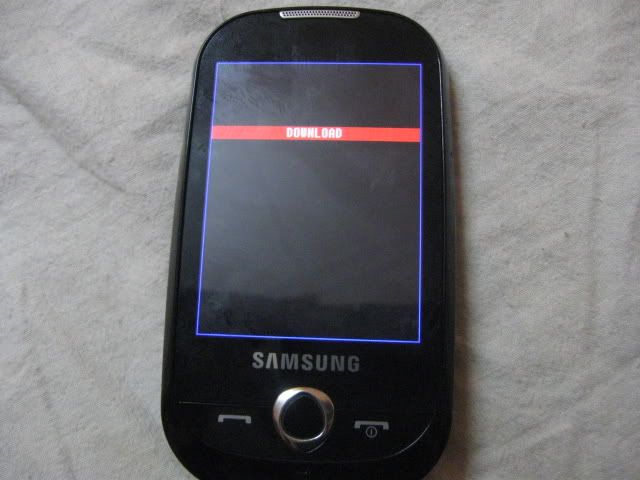
3)Press Volume down button and camera button at once and turn on the phone while holding those 2 buttons

4)now this screen should come up :
5)now connect your phone to the usb cable and open the Multi Loader 5.56..
Multi Loader screen shot
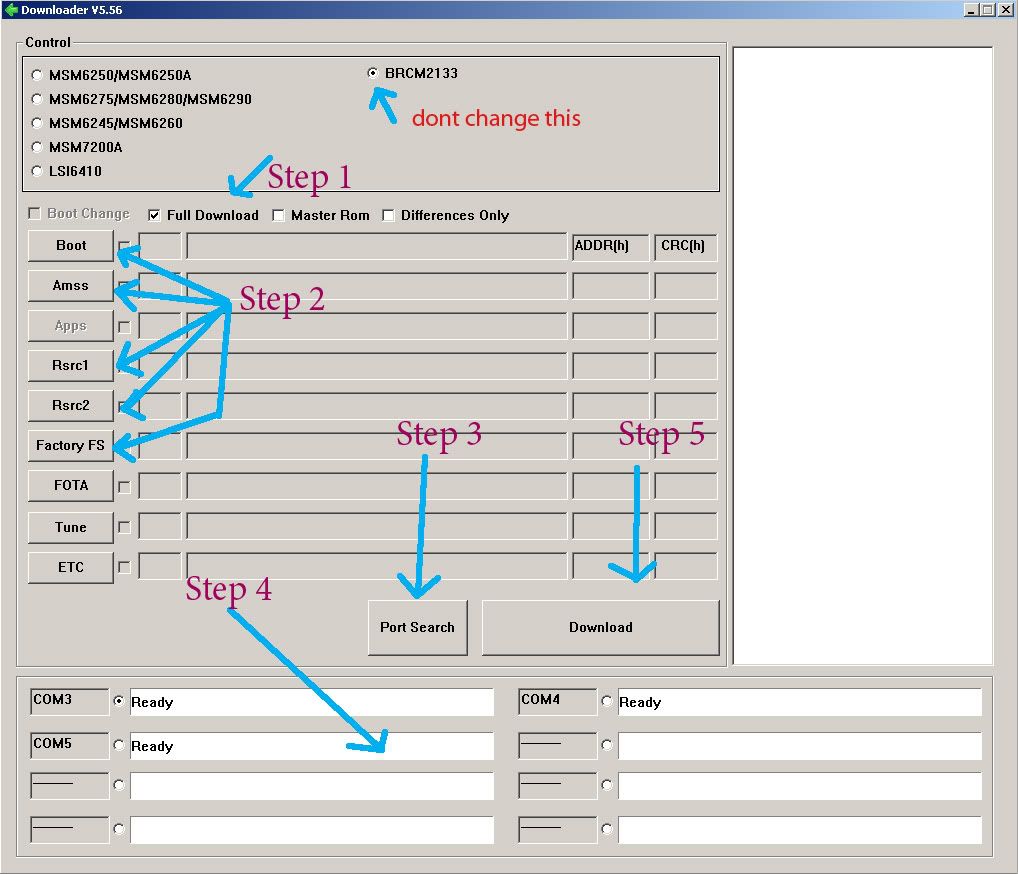
Step 2:For BOOT choose "boot files" folder from the extracted S3650XEIJ2 Firmware
For AMSS select apps_compressed.bin
For Rsrc1 select Rsrc_S3650_Open_Europe_Slav.rc1 (the name may vary but extension should be the same '.rc1' )
For Factory FS select FactoryFs_S3650_Open_Europe_Slav.ffs (the name may vary but the extension should be the same '.ffs' )
Ignore 'FOTA' , 'Tune' and 'ETC'
Step 3: Click Port Search and when found put a tick
Step 4: Then Click download and wait till it finishes.. and then unplug the usb cable.. remove the battery and turn on your new phone! :D :D
This tutorial will continue from "section 2: the patching part (and GUI Mod)"
IF YOU HAVE ANY QUESTIONS FEEL FREE TO ASK
